
Prayer Screen App for iPhone
Bible verse widgets for your Lock Screen and Home Screen, a prayer before distracting apps, and a daily habit you keep.
Set it up on your iPhone
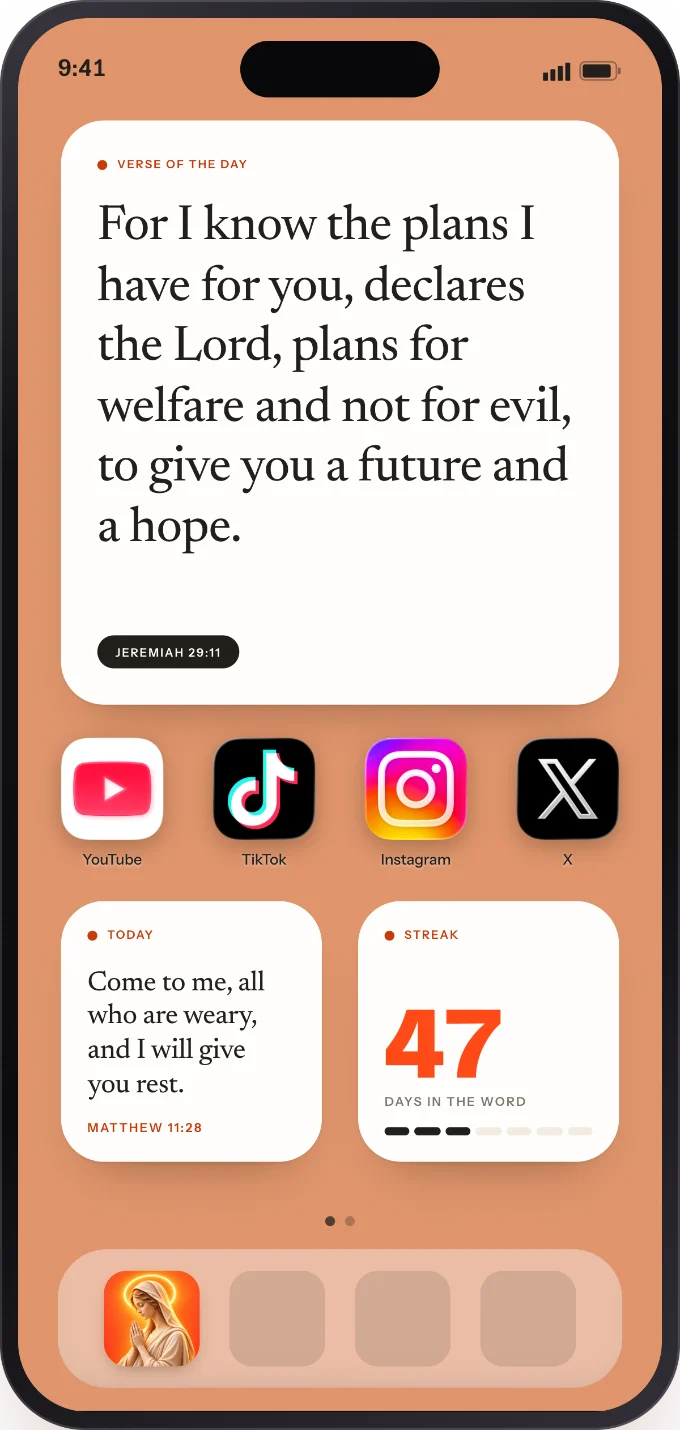
Add a Lock Screen widget
Touch and hold your Lock Screen, tap Customize, then Lock Screen. Tap the widget area and choose Prayer Screen.
Add a Home Screen widget
Touch and hold an empty spot on your Home Screen, tap Edit, then Add Widget, and search for Prayer Screen.
Turn on Focus
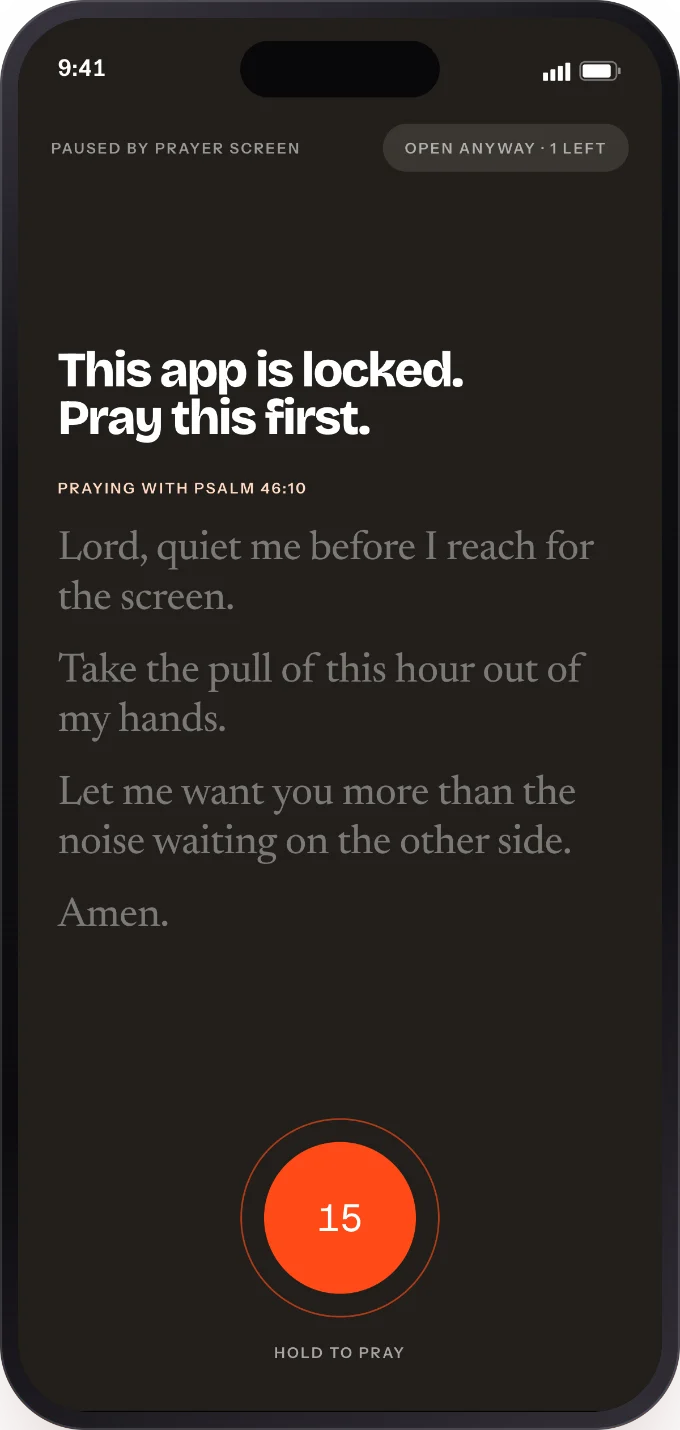
In Prayer Screen, open Focus and allow Screen Time access. Choose the apps and the hours they stay shut.
Questions
Is Prayer Screen free?
You can start free. The verse of the day and Lock Screen and Home Screen widgets are free. Prayer Screen Plus unlocks every theme and font, guided daily tasks and the rest of the app.
Does Prayer Screen block apps?
It holds the apps you choose behind a short prayer during the hours you set. Hold to pray, then continue. It runs on Apple’s Screen Time, so nothing leaves your phone.
How often does the widget verse change?
Every hour, or you can hold one verse all day.
Can I read the whole Bible in the app?
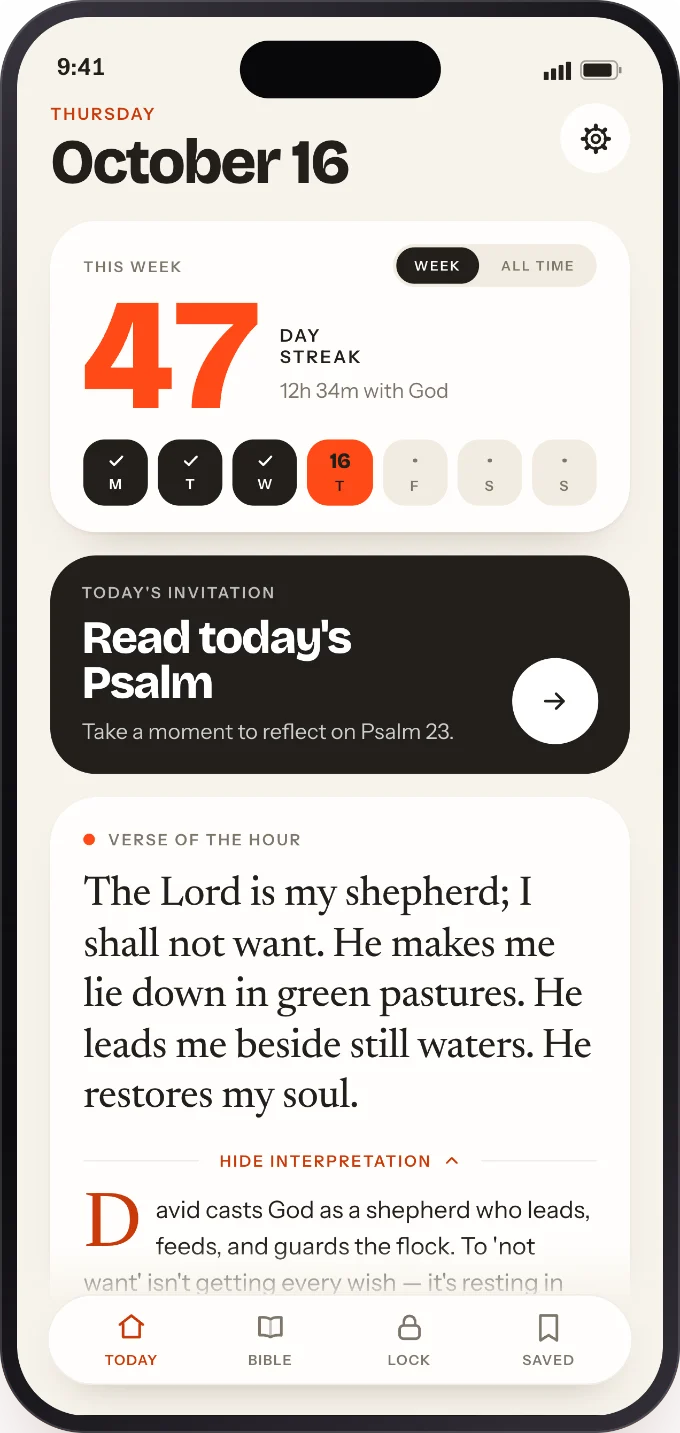
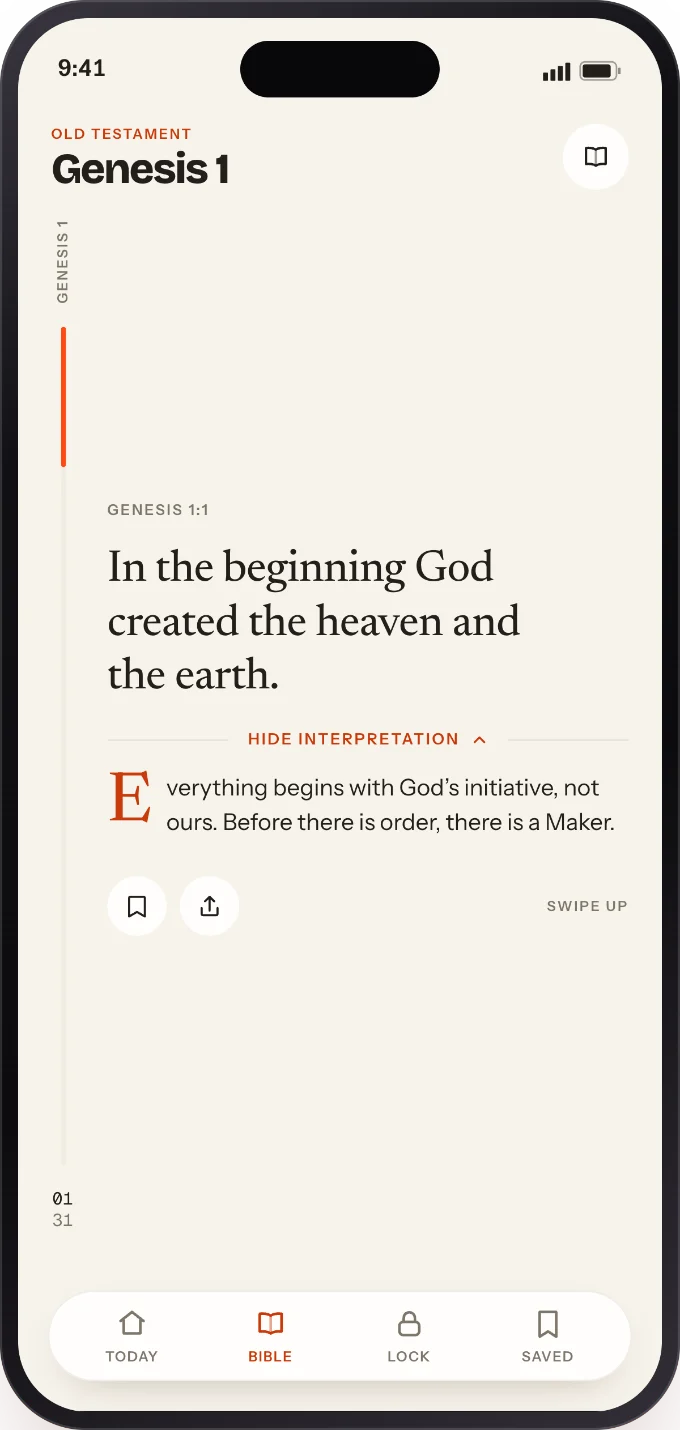
Yes. Every book and chapter, one verse at a time, with plain-language notes where a passage needs one, plus reading plans from seven to thirty-one days.
What happens if I miss a day?
A streak freeze covers the gap, so a busy week doesn’t undo a year.